File Download


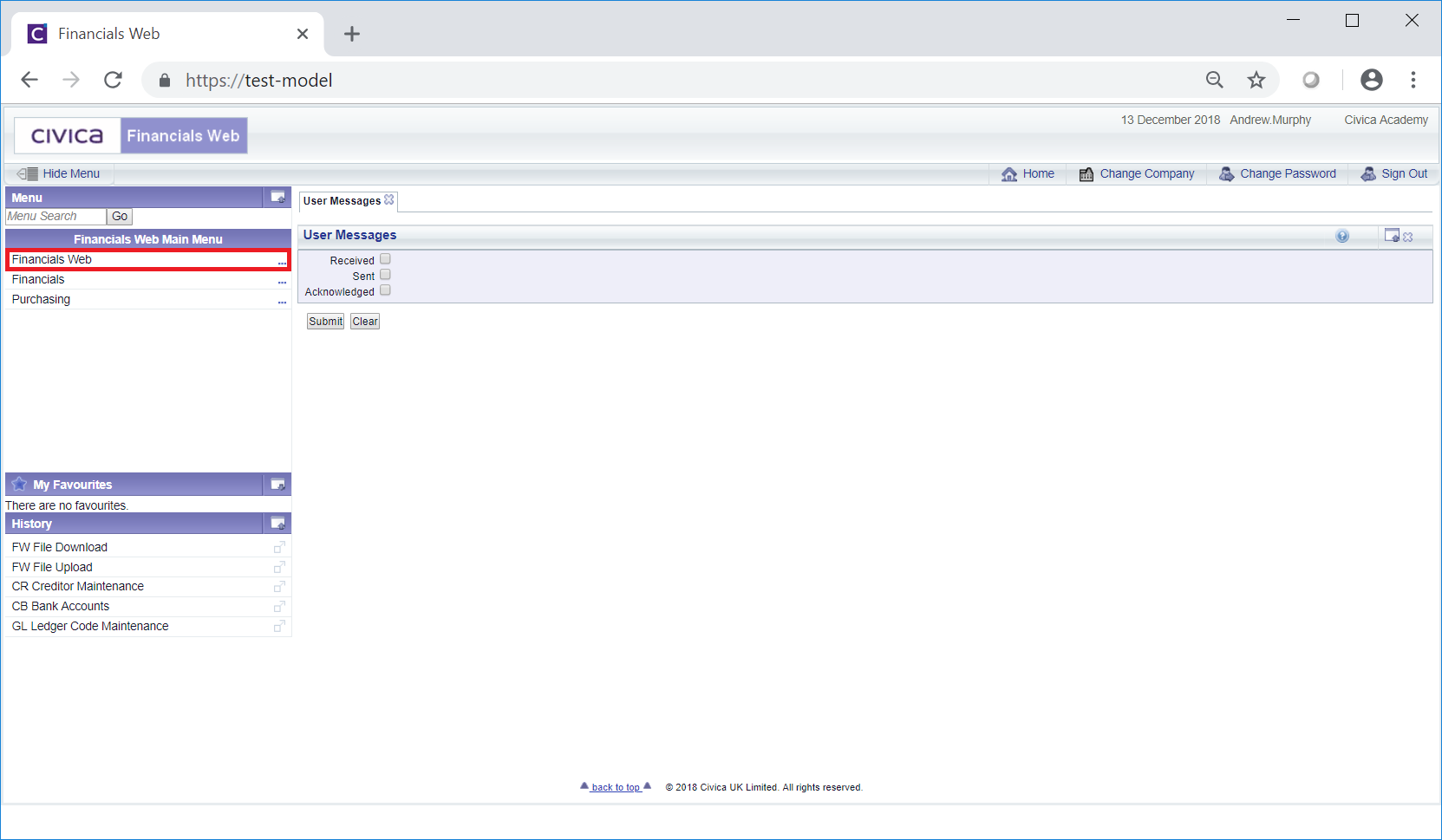
To download a file from FinancialsLIVE select the Financials Web option on the Financials Web Main Menu:
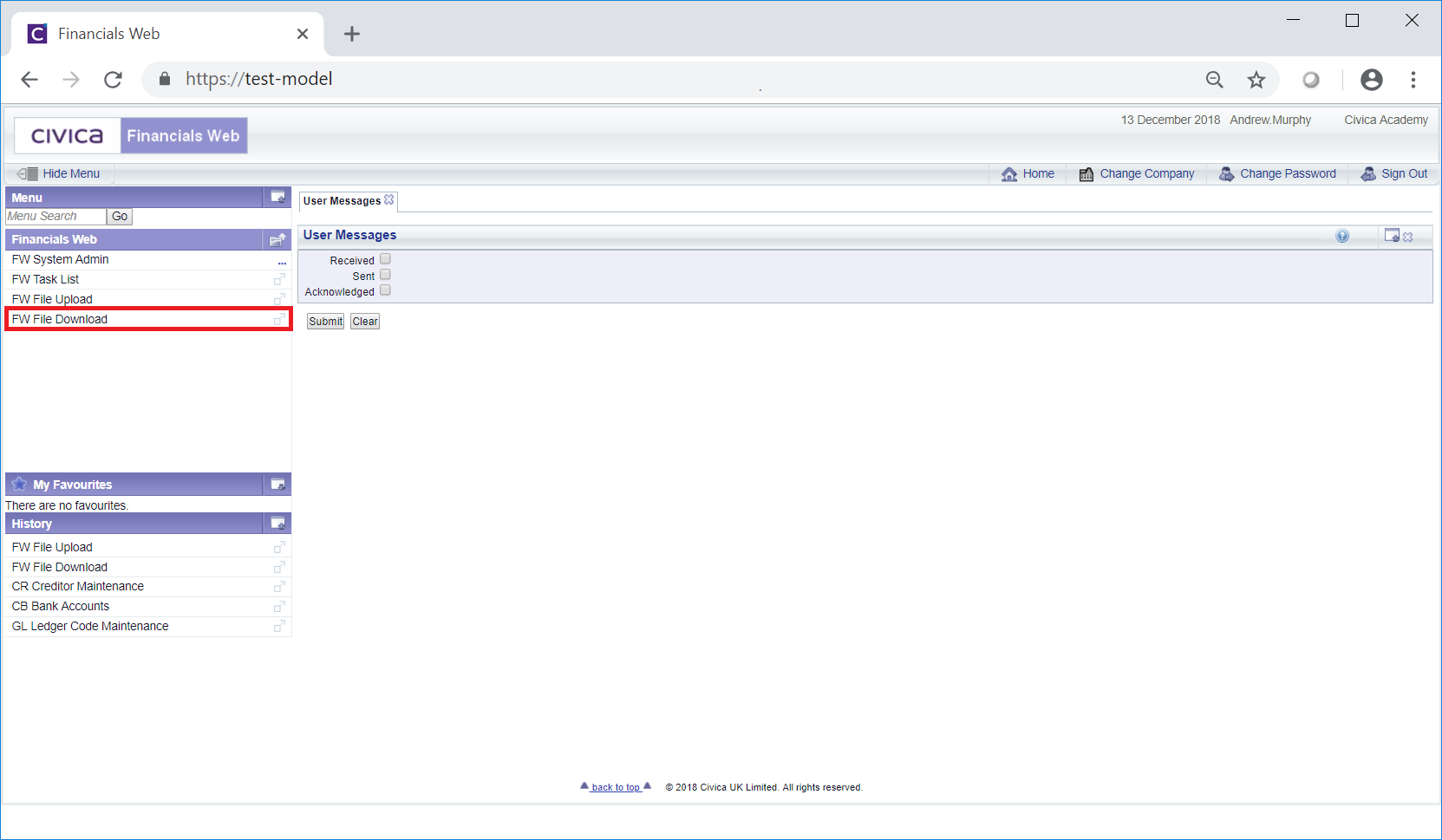
Then the FW File Download menu option:
The Download File From Server screen will be displayed:
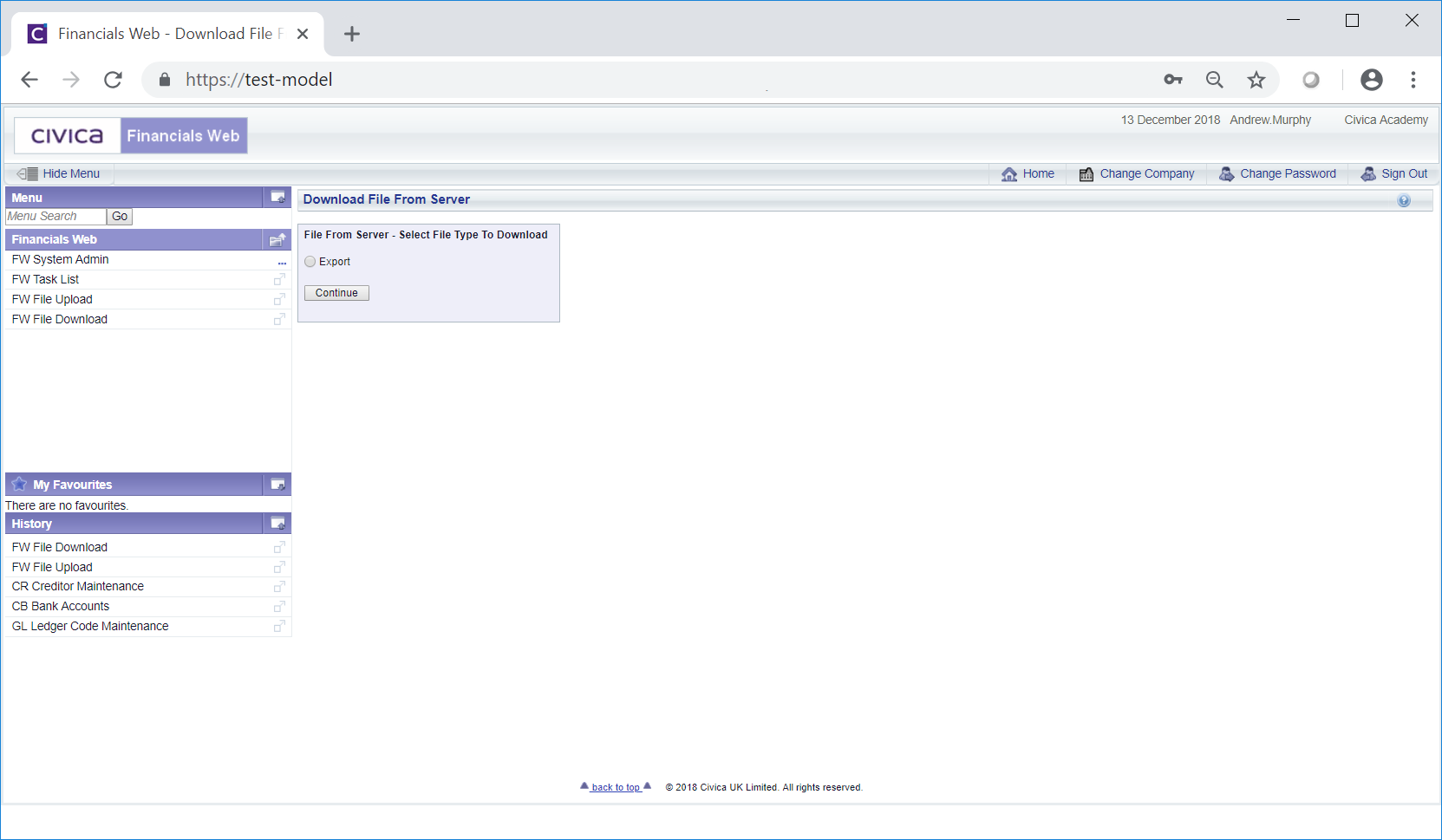
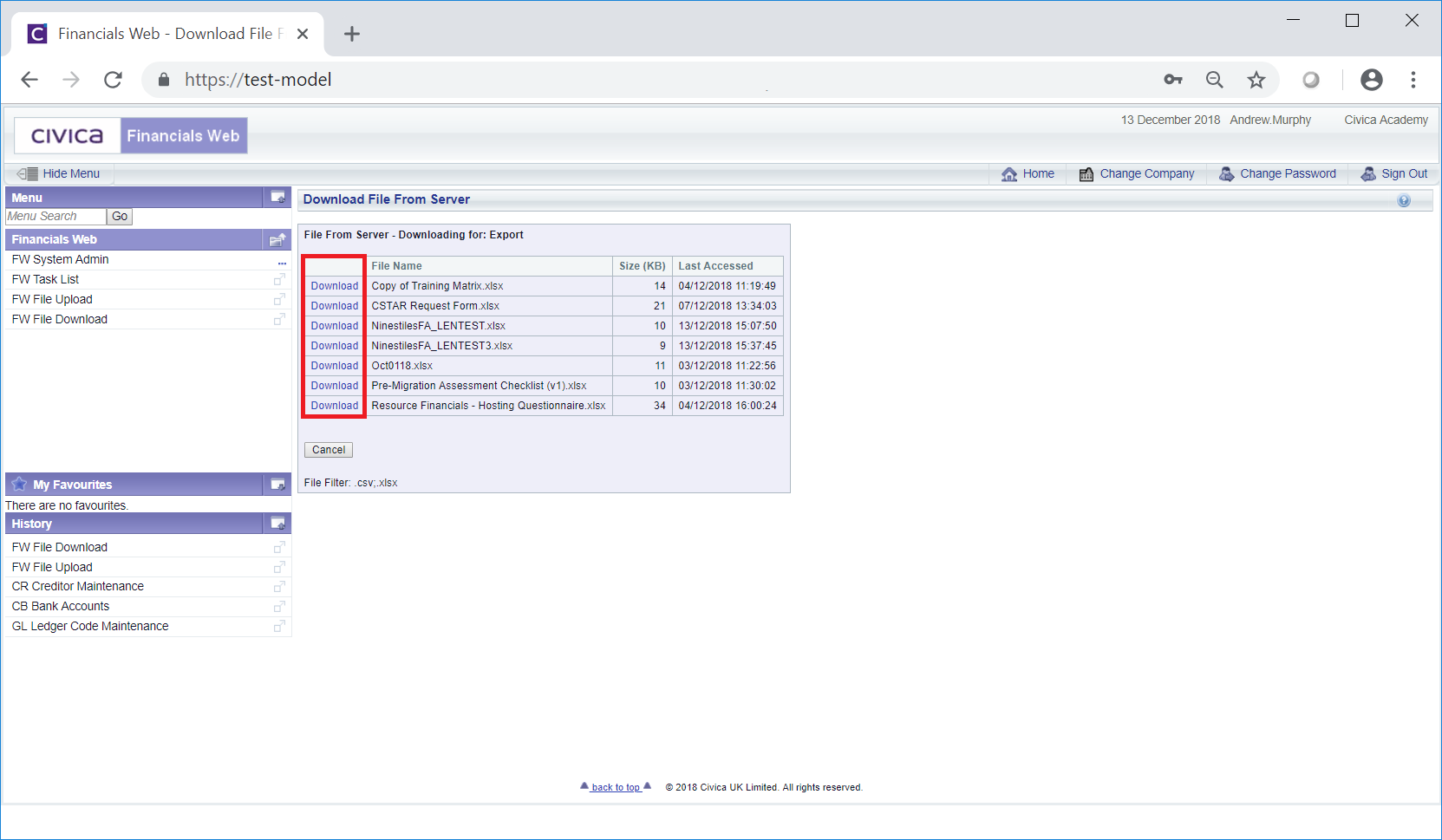
Select the Export option and click on the  button. The files available for download will then be displayed in a Grid:
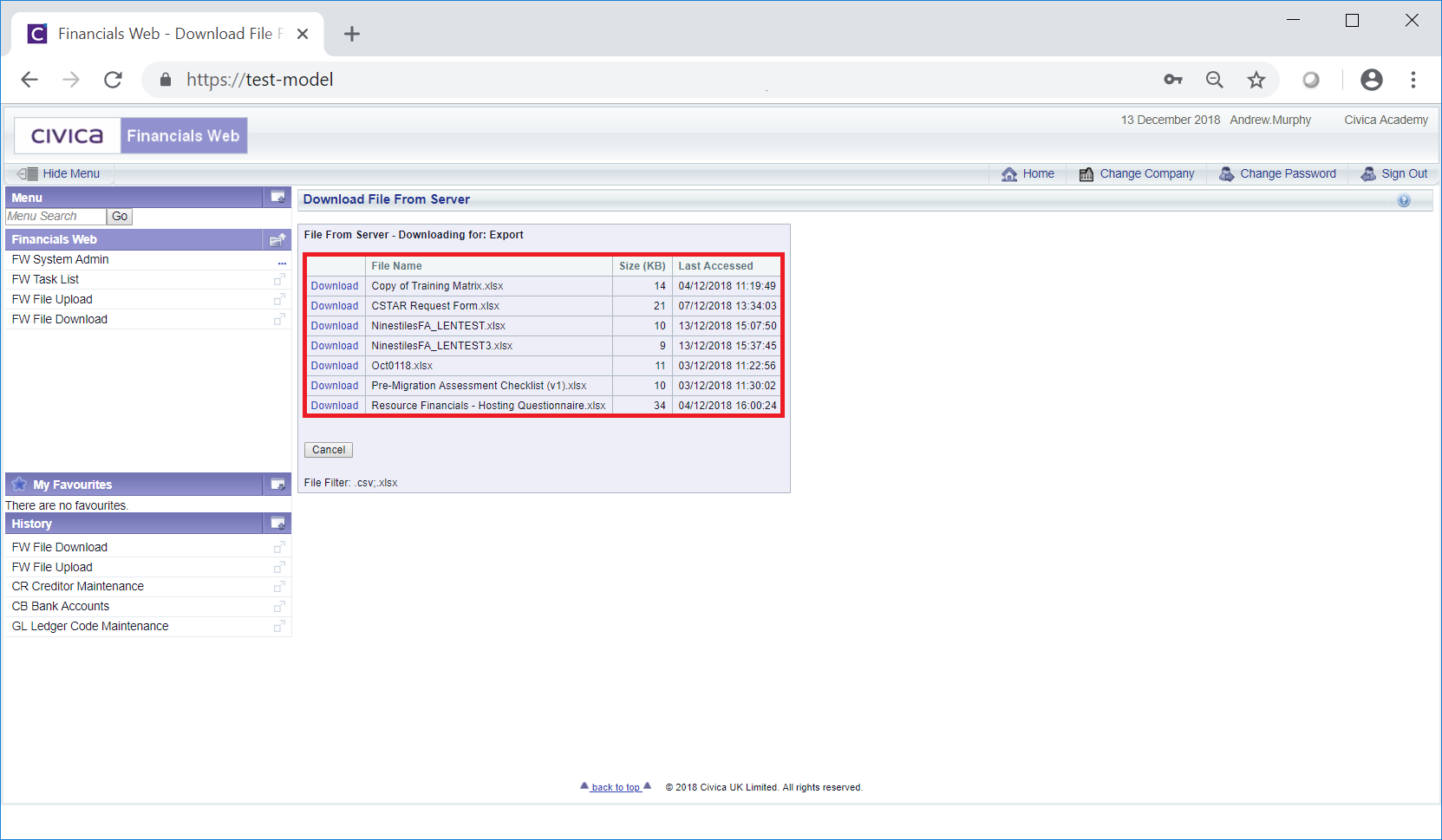
To download the required file click on the Download link to the left of the Grid:
The file will then be downloaded via your browser.
Please note: the files that can be downloaded are restricted based on file extensions - these are detailed in the File Filter section displayed at the bottom of the screen:  . The allowed file extensions will need to be configured by a Civica Consultant.